usermanual
Describes the EVA+ API.
EVA+ API usermanual
Abstract:
Describes the EVA+ API for technically advanced users who wants to use EVA+ data in 3rd party applications.
Introduction
Keep control of all vehicle data while making them available to other stakeholders/parties.
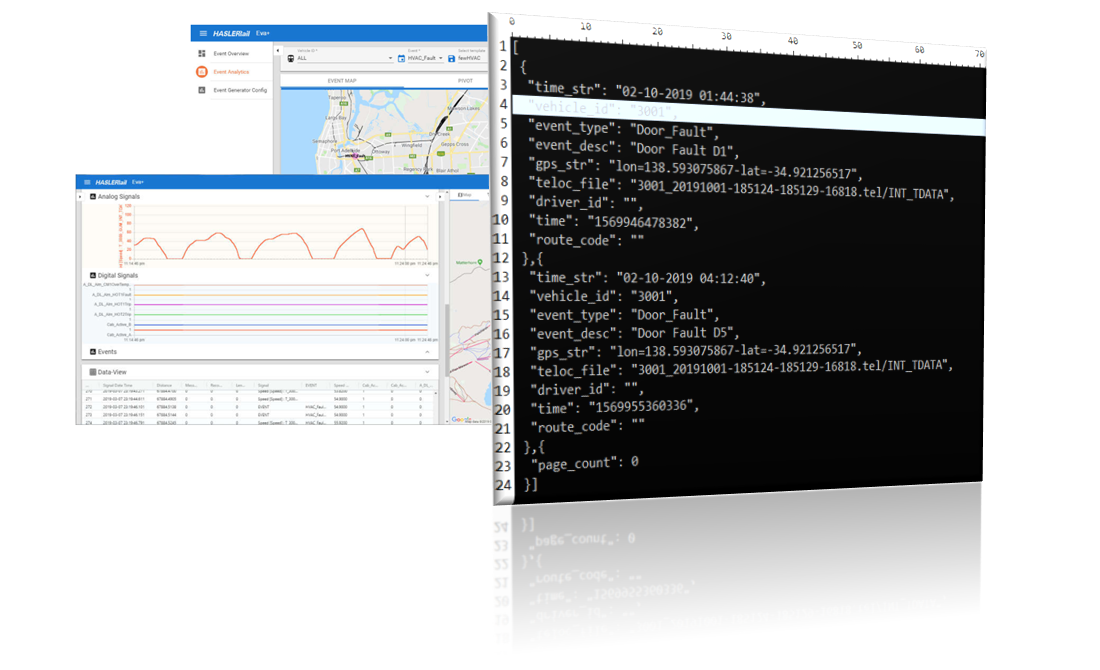
The REST based data API allows to make data available for humans and 3rd party applications. It allows the operator, the owner of the data to give out what he wants and protect what is private.
Based on the available modules, the operator can define datasets which are accessible from outside the application.
Limitation: The API calls are queued, so that only one call is executed at the time. The next call is processed once the previous response has been sent. The default limit of records to be retrieved is 10000 records.
REST API
In the following examples EVA+URL has to be replaced with the customer specific URL e.g.: railwaycompany.evaplus.com
Security
User and Roles
In “user settings” of the EVA+ webinterface, the permission to access the API of a specific module can be assigned to a role.
- EVA+ API
- EVA+ Fleet API
- EVA+ Fleet Location API
- EVA+ Teloc Manager API
The API permission has to be set explicitly. It is not automatically given if the permission “ALL Modules All Actions” is set.
A user can only perform one request at the time.
Login
Request Method: POST
https:// EVA+URL /EvaPlusRest/auth/login
Body (Content-Type = application/json )
{ "username": "guest", "password": "guest}
Response:
{
  "name": "guest",
  "email": "guest@haslerrail.com",
  "roles": "andAPI",
  "token": "eyJ0eXAiOiJKV1QiLCJhbGciOiJIUzI1NiJ9.eyJJc3N",
  "lang": "EN",
  "roleActions": "API;API_FLEET;API_FLEET_LOCATIONS;API_TELOC_MANAGER;",
  "roleVehicles": "ALL;"
}
All API calls from now on will use this string token as Header Value for auhtorization.
HTTPS
https is used for the rest call.
General Data
Vehicle List
Request Method: GET
https://EVA+URL/EvaPlusRest/getVehicleFleet
- Header key: Authorization
- Header Value: Token
Response:
[
  {
    "fleet": "ClassXXXX",
    "vehicle": [
      "1",
      "2",
      "3",
      "4",
      "5",
      "6",
      "7",
      "8",
      "9",
      "10",
      "11",
      "12",
      "13"
    ]
  },
  {
    "fleet": "ClassXXX",
    "vehicle": [
      "1",
      "2",
      "3",
      "4",
      "5",
      "6",
      "7"
    ]
  },
  {
    "fleet": "NameOfTheFleet",
    "vehicle": [
      "1",
      "2"
    ]
  }
]
Recorder List
Request Method: GET
https:// EVA+URL /EvaPlusRest/getRecorderVehicle
- Header key: Authorization
- Header Value: Token
Response:
[
  {
    "id": "1",
    "vehicle": [
      "1"
    ]
  },
  {
    "id": "2",
    "vehicle": [
      "2"
    ]
  },
  {
    "id": "3",
    "vehicle": [
      "3"
    ]
  }
]
Signal Name List
Request Method: GET
https:// EVA+URL /EvaPlusRest/getSignalNameList?vehicleId=1
- Header key: Authorization
- Header Value: Token
| Parameter | Optional | Argument | Comment |
|---|---|---|---|
| vehicleId | mandatory | Vehicle ID as stored in the TELOC. |
Response:
[
  {
    "signalname": "SPEED",
    "signaltype": "SIGNAL_TYPE_ANALOG",
    "signalmemory": "T_3000_GUM_INT_TDATA"
  },
  {
    "signalname": "trigger",
    "signaltype": "SIGNAL_TYPE_DIGITAL",
    "signalmemory": "T_3000_GUM_INT_TDATA"
  },
  {
    "signalname": "GPS_LOCATION",
    "signaltype": "SIGNAL_TYPE_OTHER",
    "signalmemory": "T_3000_GUM_INT_TDATA"
  }
]
Event Name List
Request Method: GET
https:// EVA+URL /EvaPlusRest/getEventNameList
- Header key: Authorization
- Header Value: Token
Response:
{
  "events": [
    "AWS_Reaction",
    "Cab_setup",
    "Deadman Buzzer",
    "Fire in car",
    "Fire_in_Car",
    "GEOFENCING_EVENT",
    "Horn",
    "ISO_Pneumatic_Brake",
    "Journey",
    "Journey_stop",
    "Segment",
    "Speed>105mph",
    "Speed>110mph",
    "Standstill",
    "TPWS_AWS_brake",
    "TPWS_emergency_brake",
    "Trip",
    "WSP_event",
    "WheelslideDMS",
    "WheelslideDMSL",
    "WheelslidePTS",
    "WheelslideTS",
    "WheelslipDMS",
    "WheelslipDMSL",
    "WheelslipPTS",
    "WheelslipTS",
    "Wheelslip_DMS",
    "Wheelslip_DMSL",
    "temp01"
  ]
}
Signal Querying
Data can be pulled from EVA+ with a REST Query from:
| Parameter | Optional | Argument | Comment | |
|---|---|---|---|---|
| vehicleId | mandatory | Vehicle ID as stored in the TELOC. | ||
| recorderId | mandatory | Serial Number of the TELOC® if Multiple Recorders are mounted on the Vehicle | ||
| startTime | mandatory | (yyyyMMddHHmm) | Data from this timestamp will be retrieved, including this timestamp,If no date is specified only limit is taken into consideration. | |
| endTime | mandatory | (yyyyMMddHHmm) | Data up to this timestamp will be retrieved, including this timestamp,If no date is specified new data is selected | |
| signal | Optional | Signal Name of the signal to be transferred, List of the signals separated by “;” or “ALL” for all signals | If no signal is selected all signals are selected | |
| page | Optional | page number 0-n | If there is no page specified, service will return the first page. | In result there will be information how many pages are there for specific period of time and signals. Page range is form 0 till “page_count” in result set. |
Signal POST Method
Request Method: POST
https:// EVA+URL /EvaPlusRest/getSignals
- Header key: Authorization
- Header Value: Token
Request Header Data
{
	"vehicleId": "1",
	"recorderId": "1234567",
	"startTime": "201912301234",
	"endTime": "201912301239",
	"signals": ["Speed", "Distance", "B1_0105-BBR_ATPIsol"],
	"page": "0"
}
Signal Response
Last element in array of result set is “page_count” that give information how many page are there for specific date time range and signal.
[
  {
    "conf_issue": "ClassXXXX_conf:01",
    "teloc_file": "teloc_file.tel/INT_TDATA",
    "teloc_memory": "T_3000_GUM_INT_TDATA",
    "time": "2019-10-03 06:47:49:162",
    "distance": "55099.90349",
    "identifier": "DISTANCE",
    "value": "55099.90349",
    "name": "DISTANCE",
    "sourceId": "DISTANCE"
  },
  {
    "conf_issue": "ClassXXXX_conf:01",
    "teloc_file": "teloc_file.tel/INT_TDATA",
    "teloc_memory": "T_3000_GUM_INT_TDATA",
    "time": "2019-10-03 06:47:49:082",
    "distance": "55099.90349",
    "identifier": "DISTANCE",
    "value": "55099.90349",
    "name": "DISTANCE",
    "sourceId": "DISTANCE"
  },
  {
    "page_count": 5
  }
]
EVA+ does not store information regarding the state of transfer. Therefore, EVA+ cannot be queried for the newest data which was not previously transferred.
Event Querying
| Parameter | Optional | Argument | Comment |
|---|---|---|---|
| vehicleId | optional | Vehicle ID as stored in the TELOC. | |
| startTime | mandatory | (yyyyMMddHHmm) | Data from this timestamp will be retrieved, including this timestamp. If no date is specified only limit is taken into consideration. |
| endTime | mandatory | (yyyyMMddHHmm) | Data up to this timestamp will be retrieved, including this timestamp. If no date is specified new data is selected |
| event | optional | Event Type to be transferred, List of the events separated by “;” or “ALL” for all events. If no event is selected all events are selected | |
| page | optional | page >= 0 | If there is no page specify, service will give back first page. In result there will be information how many pages are there for specific period of time and events. Page range is form 0 till “page_count” in result set. |
ETCS Signal POST Method
Request Method: POST
https:// EVA+URL /EvaPlusRest/getSignalsEtcs
- Header key: Authorization
- Header Value: Token
Request Header Data - There are two posibilites for sending request header data, depending on the value of isRaw parameter. First example of header data has “isRaw” : “true”, which means that returned data from collection will have data frame in format of byte array. Second example of header data has “isRaw” : “false”, in this case response will have data with decoded value of data frame.
{
    "vehicleId":"1",
    "recorderId":"1234567",
    "startTime":"202110130900",
    "endTime":"202110131000",
    "page":"0",
    "signals":["TELEGRAM FROM BALISE [6]"],
    "isRaw":"true"
}

{
    "vehicleId":"2",
    "recorderId":"1234567",
    "startTime":"202110130900",
    "endTime":"202110131000",
    "page":"0",
    "signals":["TELEGRAM FROM BALISE [6]"],
    "isRaw":"false"
}
ETCS Signal Response
Last element in array of result set is “page_count” that give information how many page are there for specific date time range and signal.
First example of response is case scenario where we have “isRaw” : “false” in header data.
[
	{
		"conf_issue": "CONF:12",
		"teloc_file": "pathToTelFile/telfile.tel",
		"teloc_memory": "T_3000_ETCS_INT_ETCS",
		"time": "2021-10-13 09:32:36:400",
		"distance": "3455.7222222222217",
		"identifier": "EM_6",
		"value": {
			"signals": [
				{
					"value": {
						"value": 6
					},
					"signals": [
						{
							"signals": [
								{
									"value": {
										"value": 6
									},
									"identifier": "NID_MESSAGE",
									"flagVoid": false,
									"flagRecInternal": false,
									"strValue": "TELGRAM FROM BALISE [6]"
								},
								{
									"value": {
										"value": 143
									},
									"identifier": "L_MESSAGE",
									"flagVoid": false,
									"flagRecInternal": false
								}
							],
							"identifier": "HEADER",
							"flagVoid": false,
							"flagRecInternal": false,
							"strValue": "11 fields"
						}
					],
					"identifier": "EM_6",
					"flagVoid": false,
					"flagRecInternal": false,
					"strValue": "TELEGRAM FROM BALISE [6]"
				}
			],
			"record": {
				"recId": 61,
				"msgId": 6,
				"time": 1634117556400,
				"speed": 39,
				"distance": 3455.7222222222219,
				"odometry": false,
				"rawData": [
					6,
					17,
					-27,
					105,
					-87,
					-126,
					68,
					8,
					55,
					-119,
					75,
					-88,
					16,
					12,
					120,
					21,
					-112,
					-100,
					-4,
					-4,
					-4,
					-4,
					-4,
					-4,
					-4,
					-4,
					-4,
					-4,
					-4,
					-4,
					-4,
					-4,
					-4,
					-4,
					0,
					113,
					-47,
					9,
					90,
					16,
					47,
					-6,
					13,
					-30,
					116,
					-87,
					3,
					-115,
					6,
					0,
					4,
					0,
					-28,
					-60,
					-28,
					32,
					-128,
					-1,
					-4,
					84,
					1,
					-60,
					-125,
					0,
					2,
					0,
					114,
					98,
					114,
					16,
					64,
					127,
					-2,
					-1,
					-1,
					-1,
					-1,
					-1,
					-1,
					-1,
					-1,
					-1,
					-1,
					-1,
					-1,
					-1,
					-1,
					-1,
					-1,
					-1,
					-1,
					-1,
					-1,
					-1,
					-1,
					-1,
					-1,
					-1,
					-1,
					-1,
					-1,
					-1,
					-1,
					-1,
					-1,
					-1,
					-1,
					-1,
					-1,
					-1,
					-1,
					-1,
					-1,
					-1,
					-1,
					-1,
					-1,
					-1,
					-1,
					-1,
					-1,
					-1,
					-1,
					-1,
					-1,
					-1,
					-1,
					-1,
					-1,
					-1,
					-1,
					-1,
					-1,
					-1,
					-1,
					-1,
					-1,
					-1,
					-1,
					-1,
					-1,
					-1,
					-1
				],
				"parsedTime": 0,
				"referenceBlock": false,
				"version": 33
			},
			"time": "Oct 13, 2021, 11:32:36 AM",
			"distance": 3455.7222222222219,
			"timeChangedInSignals": "NONE"
		},
		"vehicle_id": "1",
		"serial_number": "1234567",
		"strvalue": "TELEGRAM FROM BALISE [6]"
	},
	{
		"page_count": 0
	}
]
Second example of response is case scenario where we have “isRaw” : “true” in header data.
[
  {
    "conf_issue": "CONF:12",
    "teloc_file": "pathToTelFile/file2.tel",
    "teloc_memory": "T_3000_ETCS_INT_ETCS",
    "time": "2021-10-13 09:32:36:400",
    "distance": "3455.7222222222217",
    "identifier": "EM_6",
    "value": "6",
    "vehicle_id": "1",
    "serial_number": "1234567",
    "strvalue": "TELEGRAM FROM BALISE [6]",
    "data_frame": {
      "type": 0,
      "data": [
        0,
        1,
        46,
        99,
        111,
        109,
        46,
        104,
        97,
        115,
        108,
        101,
        114,
        114,
        97,
        105,
        108,
        46,
        112,
        97,
        114,
        115,
        "2000+ fields more"
      ]
    }
  },
  {
    "page_count": 0
  }
]
EVA+ does not store information regarding the state of transfer. Therefore, EVA+ cannot be queried for the newest data which was not previously transferred.
Event Querying
| Parameter | Optional | Argument | Comment |
|---|---|---|---|
| vehicleId | optional | Vehicle ID as stored in the TELOC. | |
| startTime | mandatory | (yyyyMMddHHmm) | Data from this timestamp will be retrieved, including this timestamp. If no date is specified only limit is taken into consideration. |
| endTime | mandatory | (yyyyMMddHHmm) | Data up to this timestamp will be retrieved, including this timestamp. If no date is specified new data is selected |
| isRaw | mandatory | true <-> false | Value true means that returned data from collection will have data frame in format of byte array. Value false means that response will have data with decoded value of data frame |
| event | optional | Event Type to be transferred, List of the events separated by “;” or “ALL” for all events. If no event is selected all events are selected | |
| page | optional | page >= 0 | If there is no page specify, service will give back first page. In result there will be information how many pages are there for specific period of time and events. Page range is form 0 till “page_count” in result set. |
Events POST Method
Request Method: POST
https:// EVA+URL /EvaPlusRest/getEvents
- Header key: Authorization
- Header Value: Token
Request Header Data
{
    vehicleId : "1",
    startTime: "201910020000",
    endTime: "201910020600",
    events: ["Door_Fault"],
    page: "0"
}
Both cases get and post when signal list is empty, api will give all signal for that vehicle, recorder and time.
- parameter “events”: [“ALL”] will give all event types in result set.
Event Response:
[
  {
    "teloc_file": "teloc_file.tel/INT_TDATA",
    "vehicle_id": "1",
    "time": "1569946478382",
    "time_str": "02-10-2019 01:44:38",
    "event_type": "Door_Fault",
    "event_desc": "Door Fault D1",
    "driver_id": "",
    "route_code": "",
    "gps_str": "lon=000-lat=-000"
  },
  {
    "teloc_file": "teloc_file.tel/INT_TDATA",
    "vehicle_id": "1",
    "time": "1569955360336",
    "time_str": "02-10-2019 04:12:40",
    "event_type": "Door_Fault",
    "event_desc": "Door Fault D5",
    "driver_id": "",
    "route_code": "",
    "gps_str": "lon=000-lat=-000"
  },
  {
    "page_count": 0
  }
]
Fleet Management
Fleet management overview
To be able to access this api user’s role must have “EVA+ Fleet API” action selected.
Request Method: GET
https:// EVA+URL /EvaPlusRest/fleet/overview
- Header key: Authorization
- Header Value: Token
Response:
[
    {
        "GPS_SPEED": "0.5659999999999999",
        "LAT": "-000",
        "LON": "000",
        "DISTANCE": 161429.82987,
        "System_Speed": "0",
        "GPS_DIR": "110.70",
        "vehicle_id": "1",
        "timestamp": 1589963845164,
        "POI": "Temp001"
    },
    {
        "LAT": "-000",
        "LON": "000",
        "DISTANCE": 192724.9451,
        "GPS_SPEED": "0.4630",
        "GPS_DIR": "93.0",
        "System_Speed": "0",
        "vehicle_id": "1",
        "timestamp": 1589963837660,
        "POI": "Temp001"
    }
]
Fleet location
To be able to access this, api user’s role must have “EVA+ Fleet Location API” action selected.
Request Method: GET
https:// EVA+URL /EvaPlusRest/fleet/getLocations
- Header key: Authorization
- Header Value: Token
Response:
[{
	"vehicle_id": "1",
	"latitude": 000,
	"longitude": -000,
	"speed": 21.391,
	"location_time": 1586340743534,
	"delay": 3015755,
	"rotation": 0.0,
	"serial_number": "1234567",
	"vehicle_state": "ok",
	"event_timestamp": -1
}, {
	"vehicle_id": "2",
	"latitude": 000,
	"longitude": -000,
	"speed": 1.788,
	"location_time": 1586340741680,
	"delay": 3015757,
	"rotation": 0.0,
	"serial_number": "1234567",
	"vehicle_state": "ok",
	"event_timestamp": -1
}, {
	"vehicle_id": "3",
	"latitude": 000,
	"longitude": -000,
	"speed": 2.844,
	"location_time": 1582102721330,
	"delay": 7253778,
	"rotation": 0.0,
	"serial_number": "1234567",
	"vehicle_state": "ok",
	"event_timestamp": -1
}]
Teloc Manager
Teloc Manager Overview
To be able to access this api user’s role must have “EVA+ Teloc Manager API” action selected.
Request Method: GET
https:// EVA+URL /EvaPlusRest/teloc/getRecorderList
- Header key: Authorization
- Header Value: Token
Response:
[{
	"vehicle_type": "CLASS_XXX",
	"serial_number": "1234567",
	"vehicle_id": "1",
	"configuration_name": "CONFIG - XXX",
	"issue_number": "12",
	"article_number": "XXX",
	"application": "XXX",
	"last_time_seen": "2020-04-08",
	"status": "OK",
	"error_code": ""
}, {
	"vehicle_type": "CLASS_XXX",
	"serial_number": "1234567",
	"vehicle_id": "2",
	"configuration_name": "CONFIG - XXX",
	"issue_number": "12",
	"article_number": "XXX",
	"application": "XXX",
	"last_time_seen": "2020-04-08",
	"status": "Warning",
	"error_code": "6"
}, {
	"vehicle_type": "CLASS_XXX",
	"serial_number": "1234567",
	"vehicle_id": "3",
	"configuration_name": "CONFIG - XXX",
	"issue_number": "13",
	"article_number": "XXX",
	"application": "XXX",
	"last_time_seen": "2020-02-19",
	"status": "Error",
	"error_code": "LTS"
}]
Teloc Recording Counts
To be able to access this api user’s role must have “EVA+ Teloc Manager API” action selected.
| Parameter | Optional | Argument | Comment |
|---|---|---|---|
| vehicleId | optional | Vehicle ID as stored in the TELOC. | |
| startTime | mandatory | Data from this timestamp will be retrieved, including this timestamp (yyyyMMddHHmm) | If no date is specified only limit is taken into consideration. |
| endTime | mandatory | Data up to this timestamp will be retrieved, including this timestamp (yyyyMMddHHmm) | If no date is specified new data is selected |
| page | optional | If there is no page specify, service will give back first page. In result there will be information how many pages are there for specific period of time and events | Page range is form 0 till “page_count” in result set |
| signal | optional | Signal to be counted | If no signal is specified the count is returned for all signals. |
Request Method: GET
https:// EVA+URL /EvaPlusRest/teloc/getRecordingCounts?vehicleId=1
https:// EVA+URL /EvaPlusRest/teloc/getRecordingCounts?vehicleId=1&startTime=20211113&endTime=20211114&signal=System_SPEED
- Header key: Authorization
- Header Value: Token
Response:
[{
	"signal": "Unit_Position_Latitude_deg",
	"date": "2020-02-19",
	"recording_count": 14206
}, {
	"signal": "Traction_Safe_Relay_2",
	"date": "2020-02-19",
	"recording_count": 45
}, {
	"signal": "Unit_Speed_of_TCMS_kmh",
	"date": "2020-02-19",
	"recording_count": 20255
}, {
	"signal": "Speed_1_SABO2",
	"date": "2020-02-19",
	"recording_count": 10103
}, {
	"page_count": 0
}]